
ElderKeep
FREE · VOICE · SCREEN SHARE · CHAT
Your friends. Your server.
Your rules.
Windows · Linux · Android
One group of friends. One place to hang out.
ElderKeep is a desktop app for a circle of friends who want somewhere that belongs to them — talk, share a screen, and keep a conversation running between sessions. Not a public platform you get lost in. Not a group chat that drops the call at eight people.
Who it's for: a friend group, a guild, a few housemates, a small team — anyone who has outgrown a group chat and doesn't want to rent a server or hand their conversations to an ad company.
Maybe later Right now there is one ElderKeep server and everyone is on it. Self-hosting isn't available yet — but if enough people ask for it, it gets built. No promise, no date.
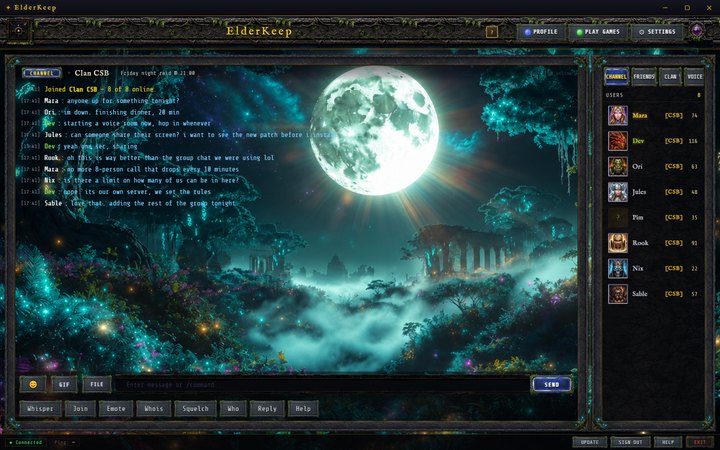
The real interface, running live — click it
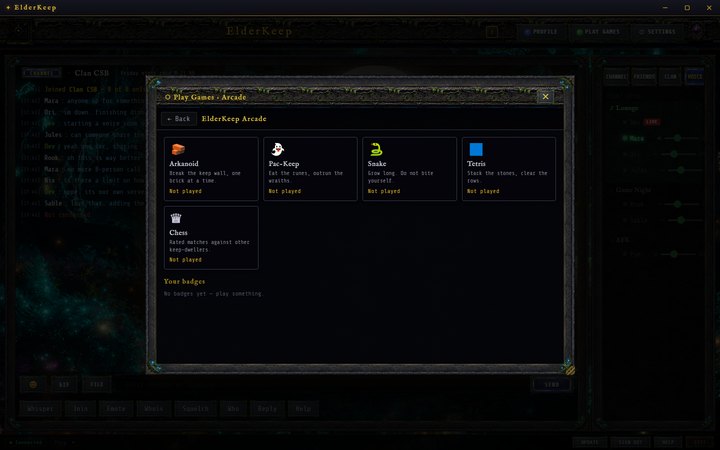
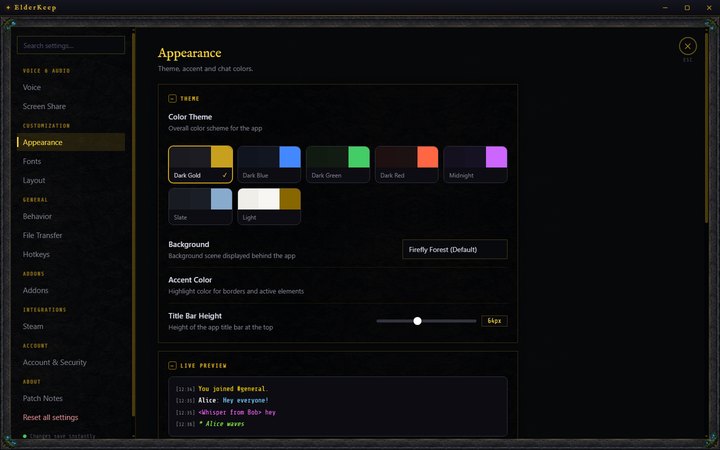
Real screens from the app. Click any of them to open it full size.
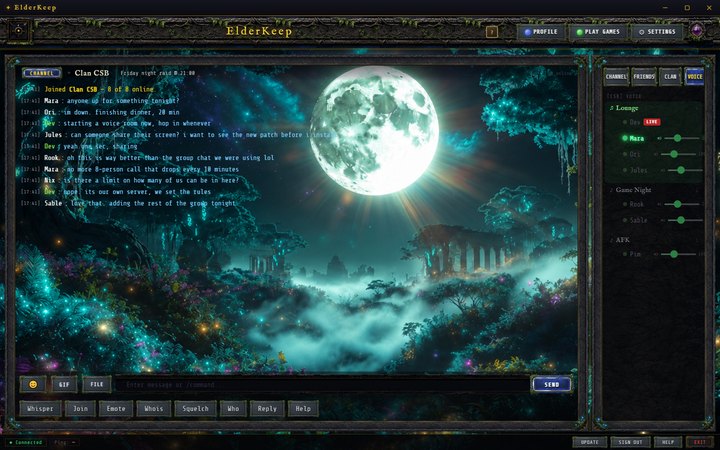
Low-latency voice with push-to-talk or voice activity detection. Game audio auto-ducks while you're speaking. Mouse buttons supported for PTT.
Share your screen to everyone in your voice channel. Control bitrate, FPS, and resolution. System audio capture included.
Give the group its own space with as many rooms as you want, custom ranks, and a message of the day everyone sees when they log in.
Find a server to join without leaving the app, across dozens of popular games plus Roblox. Save favourites and jump back into the ones you played last.
Private messages are end-to-end encrypted with ECDH P-256 + AES-256-GCM. Only you and the recipient can read them.
Images and videos from imgur, YouTube, Twitch, Reddit, and 10+ other hosts preview inline. Click to expand or open in a floating player.
Seven colour themes, your own accent colour, chat colours, fonts and layout — set per person and saved to disk, not to someone else's account.
Free. Always.
From people using ElderKeep.
Using ElderKeep? Type /review 5 what you think in the chat box to add yours.
ElderKeep is made by one person. The quickest way to reach me is inside ElderKeep itself — no ticket system, no support queue, just a message.
/j Clan CsB into the chat box to drop into the clan channel.Bugs, feature requests, "why does it do this?" — all welcome. Most of what's in ElderKeep today started as somebody asking for it there.